

Affiliate disclosure
Retailer links appear only after the exact configuration, seller, price context, warranty, and availability have been checked. Any compensated relationship will be clearly disclosed.
What works
- Strong fit for the workload described in this review.
- Spec table and alternatives make the buying tradeoffs easier to compare.
- Affiliate CTA stays gated until product details are verified.
Watch-outs
- Exact price, stock, cooling, PSU, and warranty still need final verification.
- May not be the best value if a rival tower has stronger standard parts.
- Upgrade path depends on the exact motherboard, case, and power supply.
Linux readiness
Linux readiness pending driver, firmware, and vendor-support checks.
Power and cooling
Power, cooling, thermals, acoustics, and PSU headroom still need exact-configuration verification.
Before we recommend it
Verification Gates
Price and stock should be rechecked against the exact retailer SKU before any buy button is published.
- Exact SKU and configuration
- CPU and GPU class
- VRAM and system RAM
- Cooling layout and noise
- PSU wattage and connectors
- Upgrade access
- Warranty and return path
- Same-GPU alternatives
Last verified: August 21, 2026
Current generation: ASUS ROG G700 (2025), reviewed for the 2026 market
Primary configuration: G700TF-U7KF5080
Processor: Intel Core Ultra 7 265KF
Graphics: NVIDIA GeForce RTX 5080 PRIME 16GB GDDR7
Memory: 32GB DDR5
Storage: 2TB PCIe 4.0 NVMe SSD
Cooling: 240mm AIO + four-case-fan airflow system
Power supply: 850W
Current verified Best Buy price: approximately $2,859.99
ASUS has spent years selling prebuilt gaming desktops, but the ROG G700 feels much closer to the machine enthusiasts have been asking major manufacturers to build.
Instead of hiding powerful components inside a cramped proprietary enclosure, ASUS gives the G700 a spacious 58-liter chassis, standard-sized components, tool-less access, replaceable DDR5 memory, multiple M.2 slots, a full-sized power supply, a real ASUS motherboard and enough space for serious graphics-card upgrades. ASUS explicitly markets the chassis around standard components and future upgradeability.
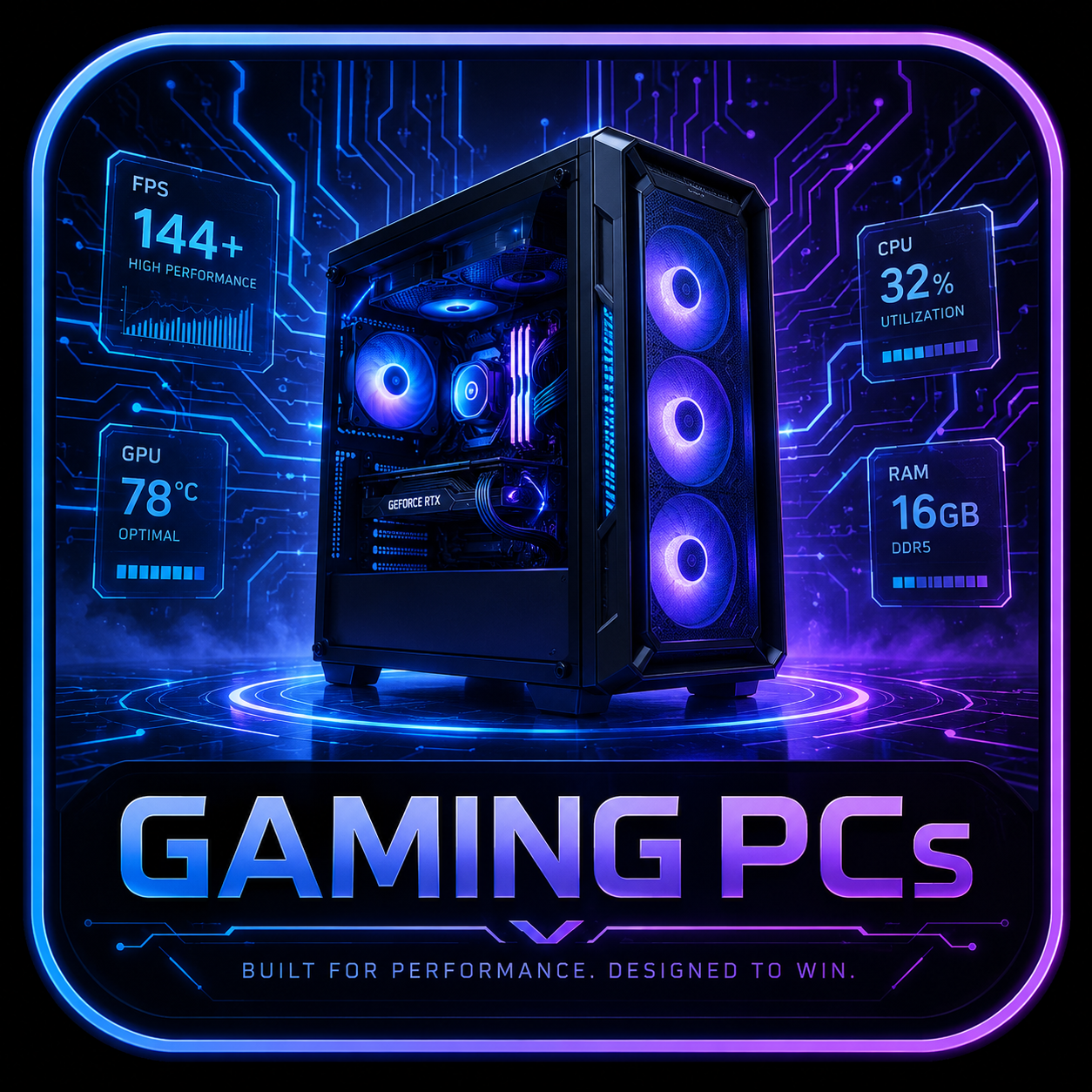
The configuration we’re focusing on pairs an Intel Core Ultra 7 265KF with a desktop GeForce RTX 5080 PRIME, 32GB DDR5 and a 2TB PCIe 4.0 SSD. This is not a laptop-derived GPU or compact-PC compromise. It’s a genuine desktop RTX 5080.
Even better, its current price makes the story much more interesting.
Best Buy’s verified listing was approximately $2,859.99, down from $3,049.99 when checked.
That’s still expensive.
But in the current 2026 GPU market, where high-end graphics-card pricing has become increasingly volatile, a complete RTX 5080 machine around $2,900 deserves attention.
Quick Verdict
The ASUS ROG G700 G700TF-U7KF5080 is one of the stronger high-end prebuilts for gamers who want desktop RTX 5080 performance without giving up future upgrades.
Its biggest strengths aren’t limited to the CPU and GPU.
You also get:
- Desktop RTX 5080 graphics with 16GB GDDR7
- Core Ultra 7 265KF
- 32GB replaceable DDR5
- 2TB NVMe storage
- 240mm liquid CPU cooling
- Excellent chassis airflow
- Tool-less panel access
- Standard-sized components
- Multiple RAM and storage expansion options
- 2.5Gb Ethernet
- A full-sized 850W power supply
And unlike many OEM gaming desktops, the G700 doesn’t appear designed to punish you for opening the case.
The biggest weaknesses are less dramatic: Wi-Fi 6 instead of Wi-Fi 7, a B860 motherboard that prevents CPU multiplier overclocking despite the unlocked 265KF processor, somewhat basic motherboard I/O for the price, and only a one-year standard manufacturer warranty on the U.S. retail model.
Ultimate Rig Guide verdict: At roughly $2,850–$2,900, the RTX 5080 G700 is genuinely competitive. At substantially above $3,100, compare Lenovo, Corsair, Alienware and boutique builders carefully before buying.
Best For
- Gamers targeting high-refresh 1440p or 4K.
- Buyers who want an RTX 5080 without building a PC themselves.
- Users who want a prebuilt that can actually be upgraded.
- Gamers uncomfortable assembling a $2,500–$3,000 system from individual components.
- Creators using CUDA, Blender, Adobe applications or GPU rendering.
- Users experimenting with local AI workloads.
- Buyers who want standard desktop components instead of proprietary OEM hardware.
- Anyone who wants a machine that can potentially accept another full-sized GPU several years from now.
Skip It If
- You enjoy building your own PC and can source components at reasonable prices.
- You specifically want an AMD X3D gaming CPU.
- You need Wi-Fi 7.
- You need extensive high-speed USB4 or Thunderbolt connectivity.
- You want more than a one-year standard manufacturer warranty.
- You’re expecting an enthusiast Z-series motherboard.
- A similarly equipped RTX 5080 desktop is significantly cheaper.
- You want an ultra-compact gaming system like the ROG NUC.
ASUS ROG G700 RTX 5080 Specs
| Specification | G700TF-U7KF5080 |
|---|---|
| CPU | Intel Core Ultra 7 265KF |
| CPU Cores / Threads | 20 / 20 |
| CPU Boost | Up to 5.5GHz |
| Chipset | Intel B860 |
| Motherboard | ASUS B860M MAX GAMING AX family |
| GPU | ASUS NVIDIA GeForce RTX 5080 PRIME |
| VRAM | 16GB GDDR7 |
| Memory | 32GB DDR5 |
| RAM Layout | 2×16GB |
| RAM Slots | 4× DDR5 U-DIMM |
| Storage | 2TB M.2 PCIe 4.0 NVMe SSD |
| PCIe 5.0 Storage Support | Yes |
| CPU Cooling | 240mm liquid cooler |
| Case Fans | 3× front intake + 1× rear exhaust |
| PSU | 850W full-size |
| Ethernet | 2.5Gb |
| Wireless | Wi-Fi 6 |
| Front USB-C | Yes |
| Rear USB-C | USB 3.2 Gen 2×2 / 20Gbps |
| Case Volume | Approx. 58L |
| Tool-Less Access | Yes |
| OS | Windows 11 Home |
| Warranty | 1-year local manufacturer warranty |
ASUS confirms the 265KF/RTX 5080 configuration with 32GB memory and a 2TB PCIe 4.0 SSD, while its chassis documentation emphasizes standard-sized components, tool-less access and PCIe Gen 5 storage support.
RTX 5080 Performance: This Is the Desktop GPU
One distinction needs to be made immediately because we’ve reviewed several ASUS laptops and the ROG NUC alongside this system.
The G700 uses the:
GeForce RTX 5080 desktop GPU
not:
GeForce RTX 5080 Laptop GPU.
That’s a major difference.
The ASUS PRIME card installed here carries 16GB of GDDR7 memory, three DisplayPort outputs and HDMI.
That puts the G700 in a completely different performance class from a laptop or ROG NUC using RTX 5080 mobile silicon.
The desktop RTX 5080 is primarily a high-end 1440p and 4K gaming GPU.
Independent GPU testing found the RTX 5080 roughly 9% ahead of the RTX 4080 Super in 4K Ultra rasterization on the tested suite, with a somewhat larger advantage in select ray-traced workloads.
Its real advantage over previous-generation hardware increasingly comes from the broader Blackwell feature set:
- DLSS
- Improved ray tracing
- Multi Frame Generation
- NVIDIA Reflex
- Creator acceleration
- AI capabilities
That matters particularly at 4K.
1440p Gaming
At 2560 × 1440, the RTX 5080 is arguably excessive for traditional 60Hz gaming.
That’s precisely why it makes sense for:
- 144Hz
- 165Hz
- 240Hz
- 360Hz
gaming monitors.
Competitive games can easily become CPU-limited before this GPU reaches its full capability.
For a premium 1440p OLED or Mini LED monitor, however, the RTX 5080 provides enough overhead to run extremely high settings while still targeting high refresh rates.
For many buyers, 1440p high refresh is actually the best pairing for this system.
4K Gaming
4K is where the RTX 5080 begins earning its place.
Native 4K gaming remains extremely demanding, particularly when heavy ray tracing or path tracing is enabled.
That’s where DLSS becomes valuable.
For demanding AAA titles, we would generally use:
4K + high/ultra settings + DLSS Quality + Frame Generation when appropriate.
There is little reason to refuse modern reconstruction technology purely for bragging rights.
In Tom’s Hardware testing of the RTX 5080 itself, Cyberpunk 2077 with 4K path tracing and DLSS Quality produced roughly 36 rendered FPS before Multi Frame Generation. MFG increased displayed frame output substantially, although Tom’s correctly noted that generated frames don’t improve responsiveness in the same way as native rendering.
That’s an important nuance.
Frame generation makes motion smoother.
It does not magically transform 35 FPS input latency into native 120 FPS responsiveness.
Core Ultra 7 265KF
The Core Ultra 7 265KF uses:
20 cores / 20 threads
and boosts up to:
5.5GHz.
The processor is more than powerful enough for the RTX 5080 in most gaming situations.
It’s also excellent for:
- Streaming
- Video encoding
- Rendering
- Compiling
- Heavy multitasking
- Virtual machines
- Content creation
The “KF” designation means the processor is unlocked and lacks integrated graphics.
There’s an odd wrinkle, though.
The B860 Motherboard Limits CPU Overclocking
ASUS pairs the unlocked 265KF with its B860M MAX GAMING AX platform.
That works perfectly well for normal gaming.
But B860 does not provide traditional unlocked CPU multiplier overclocking like a Z-series chipset.
Tom’s Hardware specifically called this out during its independent G700 review.
So although the CPU itself carries a K designation, don’t buy this machine expecting traditional enthusiast CPU overclocking.
Memory tuning is another story.
Don’t Forget to Check Your Memory Speed
This is one of those annoying little things worth putting directly into the review.
Tom’s Hardware found the memory on its G700 sample initially operating at DDR5-4800, even though the modules supported a DDR5-6000 XMP profile. Enabling the profile in BIOS allowed the RAM to operate faster.
Best Buy owners of the RTX 5080 model have reported the same behavior.
That means one of the first things we recommend after setup is:
- Enter BIOS.
- Check memory speed.
- Verify whether XMP/AEMP is enabled.
- Confirm stability after changing the setting.
You may be leaving performance on the table otherwise.
That’s hardly a fatal flaw.
But on a nearly $3,000 machine, ASUS should ideally ship the supported memory profile correctly enabled.
Cooling: ASUS Finally Gives the Hardware Room to Breathe
The G700 chassis uses a fairly straightforward airflow strategy.
And that’s a compliment.
ASUS installs:
Three front intake fans
plus:
One rear exhaust fan.
Configurations with liquid CPU cooling add the 240mm radiator and its two fans at the top.
Fresh air enters from gaps around the glass front panel rather than attempting to travel directly through the glass.
There are also removable top and bottom dust filters.
It’s not exotic.
It doesn’t need to be.
The chassis is large enough that airflow doesn’t require wizardry.
Independent Thermal Testing
We don’t currently have a complete independent laboratory suite for the exact RTX 5080 G700TF-U7KF5080, so we’re not going to transplant RTX 5070 results and pretend they’re the same machine.
We do, however, have useful chassis testing.
Tom’s Hardware tested a G700 using the same Core Ultra 7 265KF platform but with an RTX 5070.
During 15 consecutive Metro Exodus benchmark loops, average frame rate varied by less than one FPS.
Average temperatures were approximately:
P-cores: 51.9°C
E-cores: 47.8°C
RTX 5070 GPU: 56°C
That demonstrates strong thermal stability from the G700 chassis under sustained gaming load.
The RTX 5080 naturally creates more heat than the 5070.
But ASUS also equips the 5080 configuration with the same large-volume airflow philosophy and 240mm AIO architecture.
Noise
Noise appears to be another G700 strength.
Tom’s Hardware described its independently tested G700 as remaining unobtrusive during gaming, without distracting fan ramping.
The current RTX 5080 model also has a large base of Best Buy customer feedback.
Best Buy’s summary of more than 100 reviews identifies noise level and heat dissipation among the commonly praised attributes, although customer reports should be treated as anecdotal evidence rather than controlled laboratory testing.
That’s encouraging.
A 58L enclosure has an enormous cooling advantage over a laptop or 3-liter NUC: fans don’t need to run at jet-engine RPM simply to keep the silicon alive.
The 58-Liter Chassis
At approximately 58 liters, the G700 is not small.
That’s a good thing.
The chassis has enough volume to support triple-slot graphics cards, multiple cooling configurations and future component swaps. ASUS specifically designed the system around standard-sized components.
This is an important departure from old-school OEM gaming PCs.
Historically, prebuilts often used:
- Proprietary motherboards
- Proprietary PSUs
- Unusual front-panel connectors
- Restricted GPU dimensions
- Custom cooling mounts
- Strange case layouts
Those systems worked fine until you wanted to upgrade them.
Then the fun began.
The G700 is much closer to a normal custom PC.
Tool-Less Access
Both the front and side panels can be removed without the usual screwdriver ritual.
ASUS explicitly designed the case around tool-less access for:
- Cleaning
- Storage upgrades
- Component upgrades
- Routine maintenance
That’s exactly what we want from a premium prebuilt.
The machine looks like a finished retail product but behaves much more like an enthusiast desktop once you open it.
RAM Upgradeability
The system uses standard DDR5 U-DIMMs.
The RTX 5080 configuration ships with:
32GB — 2×16GB
and leaves additional memory expansion possibilities through its four DIMM slots.
Thirty-two gigabytes is already an excellent gaming capacity in 2026.
Users doing:
- Video editing
- Virtualization
- Development
- 3D rendering
- Heavy Adobe work
- Local AI
- Massive multitasking
may eventually benefit from moving higher.
The important part is that you actually can.
Nothing is soldered.
SSD Expansion
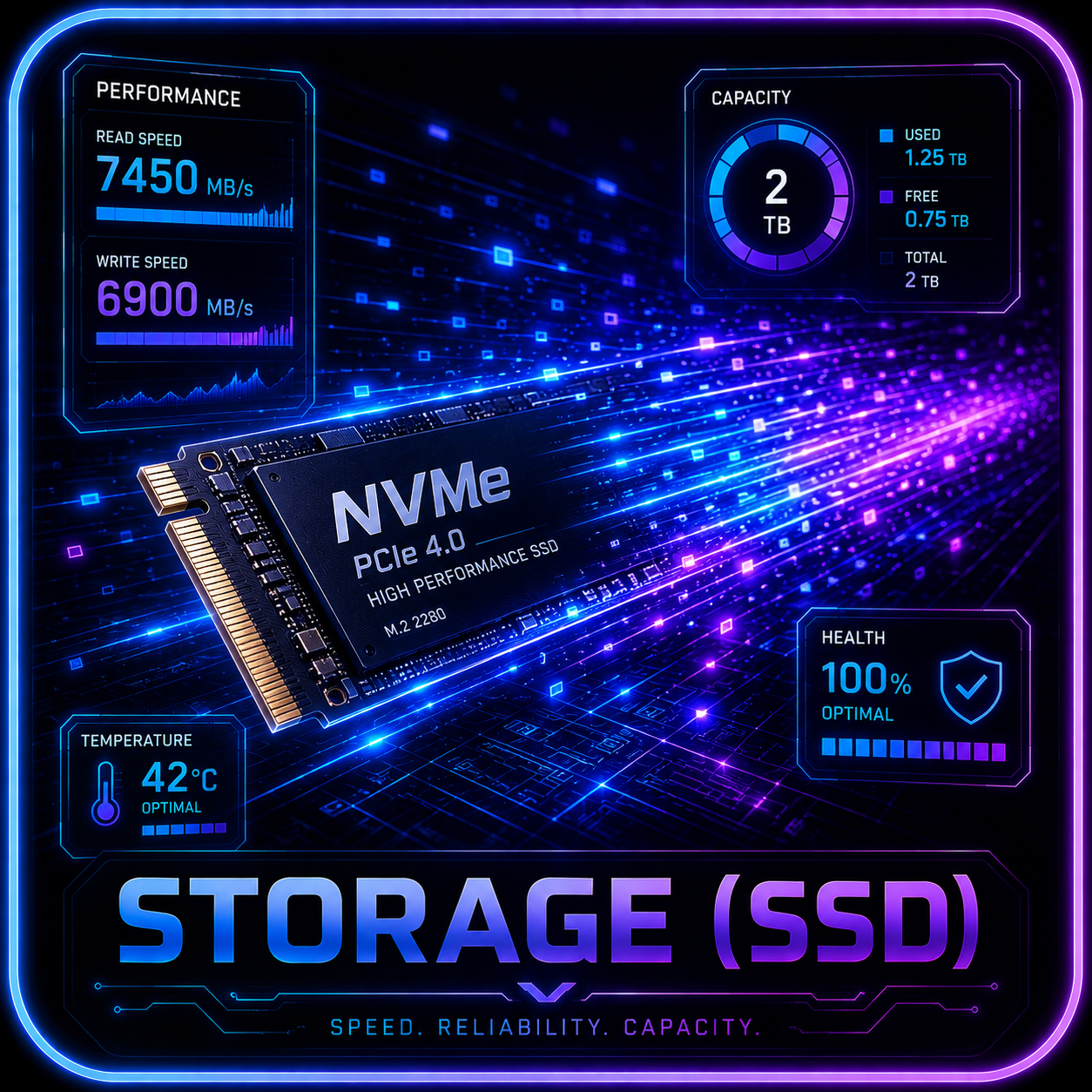
The RTX 5080 configuration ships with a 2TB PCIe 4.0 M.2 SSD.
That’s a much more appropriate starting capacity than the 1TB drives we’ve seen in some $3,000+ gaming systems.
The platform also supports PCIe Gen 5 storage upgrades.
Tom’s testing of another G700 configuration found that two M.2 slots remained unused alongside the installed SSD.
ASUS also confirmed that additional NVMe storage can be installed without voiding the manufacturer warranty as long as the system isn’t damaged during the upgrade.
One odd limitation: the case isn’t particularly interested in traditional 2.5-inch and 3.5-inch storage bays, despite the motherboard exposing SATA connectivity. Tom’s Hardware specifically criticized the lack of practical room for those conventional drives.
For a gaming PC, we’d rather have additional NVMe slots anyway.
RTX 5080 Upgrade Potential
This is one of the biggest reasons to choose the G700 over the ROG NUC.
The GPU is a normal desktop graphics card.
That means it can be replaced later.
ASUS designed the 58L chassis for large triple-slot GPUs and uses a full-sized PSU architecture.
So three or four years from now, you aren’t automatically stuck with the RTX 5080.
There will still be practical considerations:
- GPU physical dimensions
- PSU wattage
- New power connectors
- Future GPU power requirements
- BIOS compatibility
But fundamentally, this is an upgradeable desktop.
That’s a huge advantage over gaming laptops and mini PCs.
The 850W Power Supply
The G700TF-U7KF5080 specifically uses a full-sized 850W power supply, according to ASUS’s response for the retail configuration and Best Buy’s product documentation.
That’s appropriate for the installed RTX 5080.
It also provides some upgrade headroom.
However, anyone considering a future RTX 5090-class GPU should re-evaluate PSU requirements rather than assuming 850W will automatically support every future flagship.
The G700 family itself supports 1000W configurations on its highest-end models.
240mm AIO: Good, But Don’t Assume 360mm Fits
The RTX 5080 retail model uses a 240mm AIO liquid cooler.
ASUS has also confirmed that this specific G700 chassis/configuration is designed around a maximum 240mm radiator, not a 360mm AIO.
That’s worth knowing before ordering an expensive replacement cooler.
Fortunately, a quality 240mm radiator is more than adequate for the installed Core Ultra 7 under normal operation.
Ports and Connectivity
The G700 gives you plenty of USB connectivity.
Front
- 2× USB 3.2 Gen 1 Type-A
- 1× USB 3.2 Gen 1 Type-C
- Headphone
- Microphone
Rear
- USB-C up to 20Gbps
- USB-A 10Gbps
- Multiple USB-A 5Gbps ports
- Four USB 2.0 ports
- 2.5Gb Ethernet
- Audio jacks
- Motherboard DisplayPort where supported
- Wi-Fi antenna connections
The RTX 5080 itself provides:
- 3× DisplayPort
- 1× HDMI
That’s enough for a serious multi-monitor gaming or productivity setup.
Wi-Fi 6 Is the Weird Part
Here’s one area where the G700 feels older than its RTX 5080.
ASUS specifies Wi-Fi 6 rather than Wi-Fi 7.
That’s not a meaningful gaming problem for users on wired Ethernet.
The system also has:
2.5Gb Ethernet
which is exactly how we’d connect a high-end gaming desktop whenever possible.
Still, on a machine approaching $3,000 in 2026, Wi-Fi 7 would have been more appropriate.
Fortunately, desktop wireless hardware is relatively easy to upgrade compared with a laptop.
Creator Performance
The G700 isn’t only useful for gaming.
The RTX 5080 and Core Ultra 7 combination can handle:
- Blender
- Adobe Premiere Pro
- DaVinci Resolve
- After Effects
- Photoshop
- CAD workloads
- Streaming
- GPU rendering
- Video encoding
Tom’s Hardware tested the Core Ultra 7 G700 platform and recorded a 2 minute 3 second HandBrake 4K-to-1080p transcode, while Geekbench 6 multi-core reached 19,057 in its configuration.
Those figures were produced on the RTX 5070 review configuration, but the CPU platform is the same Core Ultra 7 265KF family we’re examining here.
AI Workloads
The RTX 5080’s 16GB GDDR7 VRAM also makes the G700 interesting for local AI experimentation.
Potential uses include:
- Stable Diffusion
- Image generation
- Local language models
- Computer vision
- Transcription
- Embeddings
- CUDA development
- AI-enhanced creator applications
Sixteen gigabytes is useful.
But anyone purchasing primarily for local AI should compare VRAM rather than only GPU speed.
The RTX 5090’s 32GB capacity is dramatically better suited to very large models.
RTX 5070 vs RTX 5070 Ti vs RTX 5080
The G700 family now covers a very wide performance range.
At current ASUS pricing, one noteworthy configuration is the G700TF-DS774 with RTX 5070, listed around $1,849.99. ASUS also lists an RTX 5070 Ti G700 around $2,299.99.
That creates three useful tiers.
RTX 5070
Best for:
- 1440p gaming
- Buyers keeping cost under $2,000
- Esports
- General gaming
RTX 5070 Ti
Best for:
- Stronger 1440p
- Some 4K gaming
- Buyers who don’t need RTX 5080 performance
- Better balance between cost and GPU strength
RTX 5080
Best for:
- High-refresh 1440p
- Serious 4K gaming
- Heavy ray tracing
- Creator workloads
- 16GB VRAM use
- Longer ownership horizon
At roughly $2,860, the RTX 5080 configuration becomes particularly interesting because it isn’t dramatically more expensive than many other premium RTX 5080 prebuilts.
ROG G700 vs Lenovo Legion Tower 7i
Lenovo is probably the most dangerous current competitor.
A Legion Tower 7i Gen 10 with RTX 5080 was listed around $2,899.99 when verified.
That puts it almost directly against the $2,859.99 G700.
At that point, don’t choose based on brand logo.
Compare:
- Exact CPU
- RAM capacity and speed
- SSD capacity
- PSU
- Cooling
- Motherboard
- Warranty
- Current discount
- Upgrade access
The fact that the G700 is even sitting in this price range is encouraging.
ROG G700 vs Corsair Vengeance
Corsair’s current RTX 5080 Vengeance systems begin considerably higher depending on configuration.
One Ryzen 7-based RTX 5080 Vengeance configuration was listed around $3,599.99, while higher-memory models climbed well above $4,000.
Corsair often provides more premium component selections, stronger RAM/storage configurations and a very DIY-like ownership experience.
But at the currently verified prices, ASUS is substantially less expensive.
That changes the equation.
ROG G700 vs Alienware Area-51
Alienware takes the flagship-prebuilt approach even further.
Dell’s RTX 5080 Area-51 configuration with a Core Ultra 9 285K, 32GB DDR5 and 2TB SSD was listed around $4,579.99 during a promotion.
That includes a more powerful CPU and Alienware’s enormous cooling-focused chassis.
But it is also roughly $1,700 more expensive than the current G700 RTX 5080 listing.
For gaming alone, that’s a difficult gap to ignore.
ROG G700 vs Building Your Own
This is the comparison prebuilts usually fear.
Normally, a DIY system offers:
- Better component selection
- Better motherboard choice
- Faster RAM
- Custom cooling
- Cleaner software
- Longer individual component warranties
- Easier future servicing
And usually better pricing.
But 2026 is not behaving like a normal component market.
High-end GPU pricing has become extremely volatile, with PC Gamer documenting major increases across RTX 50-series graphics cards during 2026.
That means a complete RTX 5080 prebuilt around $2,860 can sometimes make more economic sense than you’d expect.
You have to price the individual components on the day you’re buying.
Do not assume DIY is cheaper.
Do not assume prebuilt is cheaper.
Do the math.
Pros
- Desktop GeForce RTX 5080 16GB
- Excellent high-refresh 1440p performance
- Strong 4K capability
- Core Ultra 7 265KF
- 32GB replaceable DDR5
- 2TB SSD
- Additional M.2 expansion
- PCIe 5.0 storage support
- Standard-sized components
- GPU can be replaced later
- Four DIMM slots
- Tool-less front and side access
- 58L chassis
- 240mm AIO
- Excellent airflow design
- Quiet operation reported in independent chassis testing
- 2.5Gb Ethernet
- Full-sized 850W PSU
- Tempered-glass design
- Aura Sync RGB
- Currently competitive RTX 5080 pricing
Cons
- B860 motherboard prevents traditional CPU overclocking
- Unlocked 265KF CPU feels slightly wasted on B860
- Wi-Fi 6 instead of Wi-Fi 7
- Only one-year standard manufacturer warranty
- XMP/AEMP may need to be enabled manually
- Limited traditional 2.5/3.5-inch drive support
- 360mm AIO isn’t supported in this configuration
- No Thunderbolt
- Motherboard connectivity is more midrange than flagship
- Heavy and physically large
- Pricing can change quickly
Warranty and Support
ASUS currently states that the U.S. G700TF-U7KF5080 carries a one-year local manufacturer warranty.
The G700 also has a dedicated ASUS support portal for:
- Drivers
- BIOS
- Firmware
- Manuals
- Warranty information
- Product registration
- Repair status
One year is adequate.
It isn’t generous.
On a nearly $3,000 machine, we would have preferred at least two years of standard coverage.
Because the PC uses fairly standard components, however, long-term repairability should be significantly better than with proprietary prebuilts.
Current Price and Availability
As of August 21, 2026, the primary RTX 5080 configuration tracked for this review is:
ASUS ROG G700TF-U7KF5080
- Intel Core Ultra 7 265KF
- RTX 5080 PRIME 16GB
- 32GB DDR5
- 2TB SSD
- 240mm AIO
- 850W PSU
- Windows 11 Home
Best Buy’s current listing was approximately:
$2,859.99
when verified, with Best Buy shown as the seller.
Price has moved between approximately $2,860 and just over $3,000 recently, so the retailer CTA should remain price-sensitive.
Final Verdict
The ASUS ROG G700 is one of the better examples of what a major-brand gaming prebuilt should look like.
Not because it has RGB.
Not because there’s an ROG logo on seemingly every available surface.
And not simply because it contains an RTX 5080.
The most important thing ASUS did was make the computer behave like a computer.
You can open it.
You can change the RAM.
You can add SSDs.
You can replace the graphics card.
You can replace standard components.
You can clean it without dismantling a proprietary puzzle box.
That’s what makes the G700 more appealing than many traditional OEM desktops.
The RTX 5080 configuration then adds genuinely elite gaming performance, 16GB of VRAM, a capable 20-core CPU, 32GB of memory and a much more reasonable 2TB of factory storage.
There are compromises.
The B860 motherboard is an odd partner for an unlocked KF processor.
Wi-Fi 6 is dated.
The one-year warranty is unimpressive.
And enthusiasts building their own machines can choose every individual component themselves.
But the current price changes everything.
At roughly $2,860, this is no longer simply an expensive ROG prebuilt.
It is a legitimately competitive RTX 5080 system.
Ultimate Rig Guide Buying Recommendation
Above $3,200: Compare alternatives carefully.
$3,000–$3,100: Reasonable for the hardware.
Around $2,850–$2,900: Strong value for an RTX 5080 prebuilt.
Around $2,700–$2,800: Excellent value—high-priority affiliate check.
Below $2,700: Investigate immediately, provided it is new inventory from an authorized seller with full warranty coverage.
Our preferred G700 configuration
For a high-end gaming buyer, we prefer:
Core Ultra 7 + RTX 5080 + 32GB RAM + 2TB SSD
over spending substantially more for a Core Ultra 9 unless the buyer also performs heavy CPU-intensive professional work.
Gaming performance is overwhelmingly driven by the RTX 5080 at 1440p and 4K.
That makes G700TF-U7KF5080 the configuration we’d watch most closely.
The G700 doesn’t eliminate the advantages of building your own PC.
It simply removes many of the reasons enthusiasts normally refuse to buy a prebuilt.
And at the right price, that’s a much bigger compliment than another glowing RGB fan.
Related Reading
- High-End Reviews
- Best Gaming PCs 2026
- Gaming PCs
- AI Workstation Buying Guide
- ASUS ROG NUC Review
- ASUS ROG Strix G18 Review
- ASUS ROG Strix SCAR 18 Review
Affiliate and Update Status
Affiliate CTA: GATED
The editorial review itself is ready for publication.
Primary product verified:
ASUS ROG G700
Model: G700TF-U7KF5080
CPU: Intel Core Ultra 7 265KF
GPU: NVIDIA GeForce RTX 5080 PRIME 16GB
RAM: 32GB DDR5
Storage: 2TB PCIe 4.0 NVMe
Cooling: 240mm AIO
PSU: 850W
Seller checked: Best Buy
Verified price: approximately $2,859.99
Warranty: 1-year local manufacturer warranty
Before enabling an affiliate purchase button, recheck:
- Exact G700TF-U7KF5080 model.
- Best Buy as seller rather than marketplace seller.
- Current stock.
- Final checkout price.
- Manufacturer warranty.
- Return policy.
- Whether the listing is new or open-box.
- Current Lenovo Legion Tower 7i RTX 5080 pricing.
- Current Corsair RTX 5080 pricing.
- Current Alienware RTX 5080 pricing.
- Current standalone RTX 5080 street price.
- Whether ASUS has introduced a newer G700 generation.
Affiliate watch price: $2,900 or below
High-priority trigger: $2,800 or below
At the currently verified $2,859.99, this system is already close enough to the trigger that it should be rechecked when the article goes live.
Editorial Benchmark Note
Ultimate Rig Guide did not personally conduct the benchmark measurements cited in this article.
There are two distinct evidence sets used here:
ASUS ROG G700 chassis testing
Tom’s Hardware independently tested a G700 using:
- Core Ultra 7 265KF
- RTX 5070
- 32GB DDR5
- 2TB SSD
- 240mm liquid cooling
Those results are used specifically to evaluate:
- CPU platform behavior
- Chassis cooling
- Sustained thermal performance
- Storage access
- Memory configuration
- Upgradeability
They should not be interpreted as RTX 5080 benchmark results.
RTX 5080 GPU testing
RTX 5080 architectural and general gaming-performance references come from independent desktop RTX 5080 testing.
These figures provide performance context for the installed GPU but are not a benchmark of this exact G700 configuration.
Actual G700TF-U7KF5080 results will vary with:
- BIOS revision
- NVIDIA driver
- Windows updates
- Memory profile
- Game version
- Ambient temperature
- DLSS mode
- Frame Generation
- Background applications
If a comprehensive independent benchmark suite becomes available for the exact G700TF-U7KF5080, this review should be updated with those measurements.
Bottom line
Who Should Buy It?
Buyers who match the workload, budget, and upgrade assumptions in this guide.
Use this review as a buying map: compare fit, specifications, warranty, thermals, pricing context, and alternatives before choosing a retailer.
Update history
- 2026-06-16 - Product details and verification status reviewed.
Help improve this page
Found A Better Lead Or Real-World Detail?
Send a qualified product lead, correction, owner note, or review request. Strong submissions include exact model numbers, URLs, price context, workload, warranty notes, and what should be verified before publication.
Reader discussion
0 Comments
Add a correction, owner note, compatibility warning, or real-world buying context. Useful comments may help shape future updates, but private order details and account information should stay out of public discussion.