



Affiliate disclosure
Retailer links appear only after the exact configuration, seller, price context, warranty, and availability have been checked. Any compensated relationship will be clearly disclosed.
What works
- Strong fit for the workload described in this review.
- Spec table and alternatives make the buying tradeoffs easier to compare.
- Affiliate CTA stays gated until product details are verified.
Watch-outs
- Exact price, stock, cooling, PSU, and warranty still need final verification.
- May not be the best value if a rival tower has stronger standard parts.
- Upgrade path depends on the exact motherboard, case, and power supply.
Linux readiness
Linux readiness pending driver, firmware, and vendor-support checks.
Power and cooling
Power, cooling, thermals, acoustics, and PSU headroom still need exact-configuration verification.
Before we recommend it
Verification Gates
Price and stock should be rechecked against the exact retailer SKU before any buy button is published.
- Performance difference
- Cooling and noise
- Upgrade path
- Software experience
- Warranty and support
- Pricing after discounts
- Reader fit
- Closest alternative


Last verified: August 20, 2026
Review scope: ROG gaming laptops, desktops, monitors, networking, keyboards, mice, headsets, software, support, and ecosystem value
Affiliate status: Individual product CTAs remain gated behind live SKU, seller, price, stock, warranty, and return-policy verification
ASUS Republic of Gamers has grown far beyond gaming motherboards and graphics cards.
ROG now covers enough hardware to build almost an entire gaming setup under one badge: desktops, gaming laptops, monitors, keyboards, mice, headsets, routers, handhelds, power supplies, cooling, cases, docks, chargers, and PC components.
That raises a more interesting question than whether an individual ROG product is good.
Is there actually an advantage to building an entire ROG gaming ecosystem?
The answer is yes — but probably not enough to justify blindly buying everything with an ROG logo on it.
ROG’s strongest products can compete at the top of their respective categories. Its displays, gaming laptops, networking hardware, PC components, and peripherals regularly offer genuinely advanced features.
The tradeoff is predictable: ROG frequently charges premium prices, and the software experience has historically been less consistent than the hardware.
The smartest approach is therefore not “buy everything ROG.”
It is use the ROG ecosystem where the hardware earns its place.
Quick Verdict
The ASUS ROG ecosystem is one of the most complete premium gaming hardware families available in 2026.
ROG can supply almost every major part of a gaming setup, and its strongest products offer cutting-edge displays, powerful gaming laptops, enthusiast-class networking, high-performance peripherals, and premium PC components.
The ecosystem becomes especially attractive for gamers who value:
- Consistent design.
- RGB synchronization.
- High-end specifications.
- Advanced gaming features.
- Centralized device configuration.
- One brand covering multiple parts of the setup.
But buying into ROG does not automatically produce better gaming performance.
An ROG keyboard does not make an ROG laptop faster. An ROG router does not need an ROG desktop to work properly. And a competing monitor, mouse, or headset may provide better value for a particular user.
Bottom line: ROG is a strong ecosystem to build around, but it works best when each component is selected on its own merits rather than because the logos match.
Best For
- Gamers building a premium or enthusiast-level setup.
- Buyers who value coordinated hardware design and RGB lighting.
- Users who want high-end gaming laptops and desktops.
- Competitive gamers looking for high-refresh displays and low-latency peripherals.
- Enthusiasts building around ASUS motherboards and graphics cards.
- Users who want advanced gaming-oriented networking.
- Buyers who prefer staying largely within one hardware family.
- Gamers who care about performance and aesthetics almost equally.
Skip the Full Ecosystem If
- Maximum performance per dollar matters more than matching hardware.
- You already own strong peripherals from other brands.
- RGB synchronization is not important.
- You prefer lightweight device software.
- You rarely use advanced gaming-specific router features.
- You are willing to mix brands to get the strongest product in every category.
There is nothing wrong with pairing an ROG laptop with a Logitech mouse, Alienware display, SteelSeries headset, or another manufacturer’s router.
Your frame rate will survive the betrayal.
The ROG Ecosystem in 2026
ASUS currently lists ROG products across an unusually broad range of categories, including laptops, desktops, monitors, graphics cards, motherboards, power supplies, cooling, networking, keyboards, mice, headsets, controllers, storage, handhelds, docks, chargers, and accessories.
That breadth is the ROG ecosystem’s biggest strategic advantage.
Instead of creating an ecosystem primarily through proprietary connections, ASUS creates one through:
- Similar industrial design.
- Aura Sync RGB.
- Armoury Crate.
- Gear Link on newer peripherals.
- ROG-branded gaming features.
- Cross-category accessories.
- Familiar performance controls.
Most hardware remains compatible with normal PC standards, meaning users can enter or leave the ecosystem one component at a time.
That is important.
A gaming ecosystem becomes much less attractive when buying one product effectively forces you to buy five more.
ROG generally does not work that way.
ROG Gaming Laptops
Gaming laptops remain one of the strongest parts of the ROG lineup.
The 2026 family includes the Zephyrus, Strix, and Zephyrus Duo lines.
These target different buyers.
ROG Zephyrus
Zephyrus focuses on combining gaming performance with a thinner, more premium chassis.
The 2026 ROG Zephyrus G16 can be configured with an Intel Core Ultra 9 386H and up to an NVIDIA GeForce RTX 5080 Laptop GPU while using a 16-inch 2.5K OLED display with a 240Hz refresh rate. ASUS currently lists the series starting at $3,699.99 in the United States.
Independent testing of an RTX 5080-equipped 2026 Zephyrus G16 found strong gaming and productivity performance alongside unusually long web-browsing battery life for this hardware class. Its major downside was price.
That summarizes the ROG laptop philosophy fairly well:
excellent hardware, but rarely bargain hardware.
ROG Strix and SCAR
The Strix family pushes farther toward maximum gaming performance.
The 2026 Strix G16 offers up to a 300Hz 2.5K Nebula display, while Armoury Crate allows performance, fan, GPU, lighting, and application-specific profiles to be changed from Windows.
The larger SCAR models occupy the desktop-replacement end of the lineup.
Independent testing of the 2026 ROG Strix SCAR 18 found considerable performance and an impressive Mini-LED display, although fan noise increases under gaming workloads and the integrated webcam remained relatively basic.
ROG Gaming Desktops
ASUS has also improved the conventionality of its flagship desktop designs.
The current ROG G700 uses standard desktop-style components and provides substantially more upgrade potential than many older OEM gaming towers.
Available configurations span multiple processor and GPU combinations, with higher-end variants supporting powerful RTX 50-series graphics. The platform includes multiple DDR5 DIMM slots, M.2 storage expansion, PCIe expansion, and support for faster future storage.
Some G700 configurations climb all the way to the Core Ultra 9 285K and ROG Astral RTX 5090 32GB, accompanied by 64GB of DDR5 memory, a 2TB NVMe SSD, liquid cooling, and a 1000W 80 Plus Gold power supply.
That makes the G700 much more interesting as a long-term machine than a desktop built around heavily proprietary hardware.
As always, compare the exact configuration.
ROG G700 is a family name, not a single specification.
ROG Gaming Monitors
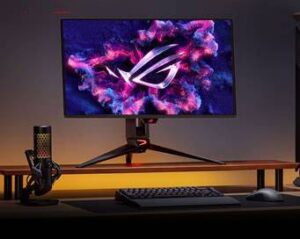
Displays might be the strongest argument for buying ROG hardware even if nothing else in the room says ASUS.
The ROG Swift OLED PG27UCDM is a good example.
It combines:
- 27-inch 4K resolution.
- Tandem QD-OLED.
- 240Hz refresh rate.
- 0.03ms claimed GTG response.
- DisplayPort 2.1a UHBR20.
- HDMI 2.1.
- USB-C with 90W Power Delivery.
- G-SYNC compatibility.
- FreeSync Premium Pro.
- OLED protection features.
- Three-year warranty including panel burn-in.
Independent testing from Tom’s Hardware praised its image quality, accuracy, motion performance, pixel density, and overall build quality while noting that flagship performance comes with flagship pricing.
This represents the part of the ROG ecosystem we find easiest to justify.
A great monitor affects nearly everything you do with the system, and ROG routinely competes at the enthusiast end of the display market.
OLED Considerations
OLED has tremendous gaming advantages:
- Near-instant pixel response.
- Extremely deep black levels.
- High contrast.
- Excellent HDR presentation.
- Outstanding motion clarity.
Burn-in risk should still be considered for systems displaying static desktop elements for extremely long periods.
ASUS has responded with OLED Care features, custom cooling solutions, screen-protection technology, and — on the PG27UCDM — a three-year warranty that explicitly includes panel burn-in.
That warranty detail is worth checking on the exact monitor model, because coverage should never be assumed across an entire product family.
ROG Networking
Most gaming brands stop somewhere around the headset.
ROG keeps going until it reaches your router.
The ROG Rapture GT-BE98 Pro is a quad-band Wi-Fi 7 router with:
- Two 6GHz bands.
- 320MHz channel support.
- 4096-QAM.
- Multi-Link Operation support.
- 2.6GHz quad-core processor.
- 2GB RAM.
- Dual 10Gb Ethernet capability.
- Multiple 2.5Gb Ethernet ports.
- AiMesh.
- Gaming traffic optimization.
- VPN and security features.
ASUS currently lists it at $699.99, putting it firmly in enthusiast-router territory.
Independent testing found excellent 6GHz performance, extensive wired connectivity, and a broad set of gaming features while identifying price as its biggest drawback.
Do You Need a Gaming Router?
Maybe.
A router cannot magically repair bad internet service.
What high-end ROG networking can provide is:
- Strong local wireless throughput.
- Multi-gigabit wired networking.
- Advanced QoS and traffic control.
- Gaming-device prioritization.
- AiMesh expansion.
- Better hardware for busy households.
- Greater control than basic ISP-supplied gateways.
For users with gigabit or multi-gigabit fiber, multiple gaming systems, NAS devices, Wi-Fi 7 clients, local servers, or heavy simultaneous traffic, those capabilities become more meaningful.
For a single gaming PC on a 300Mbps connection?
Spending $700 on a router might be using a tactical nuclear weapon on a mosquito.
ROG Keyboards
ROG’s keyboard lineup has become substantially more ambitious.
The ROG Azoth X is a 75% wireless mechanical keyboard featuring hot-swappable switches, gasket mounting, multiple internal dampening layers, an OLED display, tri-mode connectivity, and ROG SpeedNova wireless.
Competitive players can move toward magnetic-switch boards such as the ROG Falchion Ace 75 HE, which supports adjustable Hall-effect switches, Rapid Trigger-style functionality, an 8000Hz polling rate, and Gear Link configuration.
There is genuine engineering here rather than a generic keyboard with an ROG logo printed on top.
The issue, again, is price.
Mechanical and Hall-effect keyboard competition is extremely strong, so ROG keyboards should be compared against specialized keyboard manufacturers rather than automatically purchased to complete a matching setup.
ROG Gaming Mice
ROG also competes seriously in lightweight gaming mice.
The ROG Harpe II Ace weighs approximately 48 grams while supporting a 42,000 DPI AimPoint Pro sensor and polling rates up to 8000Hz in wired and wireless operation. Interestingly, this newer model uses ASUS’s Gear Link software rather than relying exclusively on Armoury Crate.
The ROG Keris II Ace takes a more ergonomic shape while maintaining a 54-gram weight, 42,000 DPI sensor, high polling rates, and tri-mode connectivity.
This is another category where matching brands should be secondary.
Mouse shape, grip style, hand size, sensor behavior, weight, and button placement matter far more than matching your motherboard.
ROG Headsets
The ROG Delta II represents the current premium wireless headset approach.
It includes 2.4GHz wireless, Bluetooth and 3.5mm connectivity, 50mm titanium-plated drivers, multiplatform support, Aura lighting, and compatibility with both Armoury Crate and Gear Link.
ASUS advertises up to 110 hours of battery life under its specified operating conditions.
As with gaming mice, however, audio equipment is extremely personal.
A complete ROG setup does not require an ROG headset.
Buy based on sound, microphone quality, comfort, battery life, wireless reliability, and platform compatibility first.
Armoury Crate: The Strongest and Weakest Part of the Ecosystem
ROG hardware integration has traditionally revolved around Armoury Crate.
ASUS describes Armoury Crate as its centralized application for system monitoring, performance modes, hardware settings, device configuration, Aura Sync lighting, profiles, and other ROG functions. Version 6 remains actively supported in 2026.
On supported ROG laptops, Armoury Crate can manage features such as:
- CPU and GPU monitoring.
- Performance profiles.
- Fan behavior.
- GPU operating modes.
- RGB lighting.
- Macro functions.
- Scenario Profiles.
- Display features.
- Connected peripherals.
On paper, this is exactly what an ecosystem needs.
In practice, Armoury Crate has historically generated mixed user feedback.
Some owners report using it successfully, while others report update problems, device-detection failures, excessive complexity, or inconsistent behavior. Recent 2026 community discussions continue to show both experiences rather than a universal consensus.
That means software remains an area we would evaluate carefully rather than presenting as an automatic ecosystem advantage.
Gear Link May Be the More Important 2026 Development
ASUS is now moving newer peripherals toward Gear Link.
Gear Link is a web-based configuration platform that allows compatible devices to be customized without requiring a traditional full software package. ASUS states that mouse and peripheral models released from 2026 onward support Gear Link, although some devices require its Companion software for full functionality.
Supported devices already include products such as:
- ROG Azoth X.
- ROG Falchion 75 HE.
- ROG Harpe II Ace.
- ROG Delta II.
- Several additional current keyboards, mice, gamepads, and headsets.
That is a meaningful change.
If ASUS can move more peripheral configuration into a lightweight browser-based interface while retaining Armoury Crate for deep system-level controls, the ROG ecosystem could become considerably easier to manage.
Aura Sync and the Matching-Rig Advantage
One of the clearest reasons for combining ROG products is aesthetic integration.
Aura Sync can synchronize supported lighting across compatible:
- Motherboards.
- Graphics cards.
- Cases.
- Cooling.
- Keyboards.
- Mice.
- Headsets.
- Monitors.
- Other accessories.
This does not improve benchmark scores.
It does, however, allow a complete ROG build to look intentionally designed rather than assembled during a clearance sale in four different RGB universes.
For showcase builds and high-end gaming rooms, that matters.
For everyone else, turn the RGB off and reclaim your electricity one LED at a time.
Warranty and Support
Warranty coverage varies significantly by product category and exact SKU.
For example, ASUS lists a standard desktop warranty of 12 months or more, depending on the product.
ASUS’s general LCD monitor warranty documentation lists 36 months for most covered monitor products, while individual models may differ.
The ROG Swift PG27UCDM specifically carries a three-year warranty that includes OLED panel burn-in.
Eligible notebooks, desktops, and other systems may also qualify for ASUS Premium Care or extended-warranty options depending on product and region.
This variation makes warranty verification essential before an affiliate link goes live.
Do not assume that the warranty attached to one ROG product applies to another.
The ROG Premium
ROG regularly occupies the upper end of its category.
Current examples make that clear.
A 2026 Zephyrus G16 starts around $3,699.99 through ASUS.
The ROG Swift OLED PG27UCDM has recently been listed around $999-$1,099 depending on promotion.
The ROG Rapture GT-BE98 Pro is currently listed at $699.99.
Meanwhile, ROG peripherals routinely move between full retail pricing and substantial promotional discounts.
That tells us something important about buying ROG hardware:
Do not evaluate ROG value solely from MSRP.
ASUS promotions can materially change the equation.
A product that looks overpriced at launch may become far more competitive during an ASUS, Amazon, Best Buy, or Newegg promotion.
Live pricing therefore matters more than brand reputation.
Do You Need to Buy Everything ROG?
No.
And that is probably the most important conclusion of this review.
The ROG ecosystem works because you can build almost everything around it.
That does not mean you should.
A more sensible high-end setup might contain:
- An ROG gaming laptop.
- An ROG OLED monitor.
- A competing mouse that better fits your hand.
- A dedicated audiophile headset.
- An existing Wi-Fi router.
- A keyboard from another manufacturer.
Nothing meaningful is lost.
Aura synchronization may become less complete, and device configuration may require more than one application, but gaming performance itself remains unaffected.
Closest Ecosystem Alternatives
There is no perfect one-for-one replacement for ROG because few gaming brands cover this many categories.
MSI
MSI overlaps heavily with ASUS in gaming laptops, desktops, monitors, motherboards, graphics cards, and other PC hardware.
It makes sense for buyers who like the idea of a broad gaming-PC ecosystem but want to compare ROG pricing against another established component manufacturer.
Corsair
Corsair is especially strong for DIY builds, covering cases, cooling, power supplies, memory, keyboards, mice, headsets, controllers, lighting, and other accessories.
Its ecosystem is more focused on building and accessorizing the PC than supplying the gaming laptop itself.
Razer
Razer takes a different approach.
Its ecosystem is heavily centered on premium gaming laptops, keyboards, mice, headsets, controllers, docks, and accessories.
For buyers who care heavily about unified industrial design and peripherals, Razer represents one of the more obvious premium alternatives.
Alienware
Alienware is strongest when the purchase revolves around the gaming PC, laptop, and display rather than the underlying DIY components.
Its ecosystem is narrower than ROG but still relevant for buyers shopping premium complete systems.
Who Should Build an ROG Setup?
The ROG ecosystem makes the most sense for someone building a high-end gaming station who already prefers ASUS hardware.
Start with the product that matters most.
That might be:
An ROG laptop because you want Zephyrus portability.
An ROG OLED monitor because you want a particular panel and feature set.
An ROG motherboard because you are building an enthusiast desktop.
An ROG router because your network actually needs multi-gigabit and Wi-Fi 7 capability.
Then expand outward only when the other ROG products also make sense.
Do not build around the logo.
Build around the hardware.
Final Verdict
The ASUS Republic of Gamers ecosystem is one of the most complete premium gaming hardware platforms available in 2026.
Its biggest strength is not that every ROG product communicates through some magical proprietary gaming network.
It is that ASUS competes seriously in almost every category required to build a modern gaming setup.
The strongest ROG products offer excellent performance, premium displays, advanced networking, competitive peripherals, enthusiast components, and a distinctive design language that can tie an entire gaming room together.
There are two major catches.
The first is price.
ROG hardware often carries a premium, and buyers should compare current sale prices rather than blindly paying MSRP.
The second is software.
Armoury Crate provides genuinely useful system and lighting controls, but its user experience remains more divisive than the hardware itself. ASUS’s movement toward the lighter, web-based Gear Link platform for newer peripherals is therefore one of the ecosystem’s more encouraging developments.
So, is the full ROG battlestation worth it?
It can be — but only when the individual components earn their place.
We would happily build around strong ROG hardware.
We just would not buy a weaker or dramatically more expensive product solely because its RGB logo matches the rest of the desk.
That is the difference between building an ecosystem and simply collecting logos.
Related Reading
- High-End Gaming PC and Laptop Reviews
- Best Gaming PCs 2026
- Best Gaming Laptops 2026
- Reviews
- Gaming PCs
- AI Workstation Buying Guide
Affiliate and Update Status
Ultimate Rig Guide may earn a commission from qualifying purchases after affiliate relationships are approved.
Because this article covers an ecosystem rather than one specific SKU, retailer buttons should be attached to individual products rather than to the ROG brand generally.
Before activating any product CTA, verify:
- Exact model and SKU.
- Hardware configuration.
- Current seller.
- Current price.
- Stock status.
- Warranty.
- Return policy.
- Major competing products.
- Whether a newer generation has replaced it.
Research verification completed: August 20, 2026.
Pricing, product generations, GPU configurations, firmware, software compatibility, warranties, promotions, and availability should be rechecked during future updates.
Bottom line
Who Should Buy It?
Buyers who match the workload, budget, and upgrade assumptions in this guide.
Use this review as a buying map: compare fit, specifications, warranty, thermals, pricing context, and alternatives before choosing a retailer.
Update history
- 2026-06-16 - Product details and verification status reviewed.
Help improve this page
Found A Better Lead Or Real-World Detail?
Send a qualified product lead, correction, owner note, or review request. Strong submissions include exact model numbers, URLs, price context, workload, warranty notes, and what should be verified before publication.
Reader discussion
0 Comments
Add a correction, owner note, compatibility warning, or real-world buying context. Useful comments may help shape future updates, but private order details and account information should stay out of public discussion.